
Code a Session Volume Profile Indicator in Pine Script v6
By HorizonAI Team · 15 min read · Advanced
How to Code a Session Volume Profile in Pine Script v6
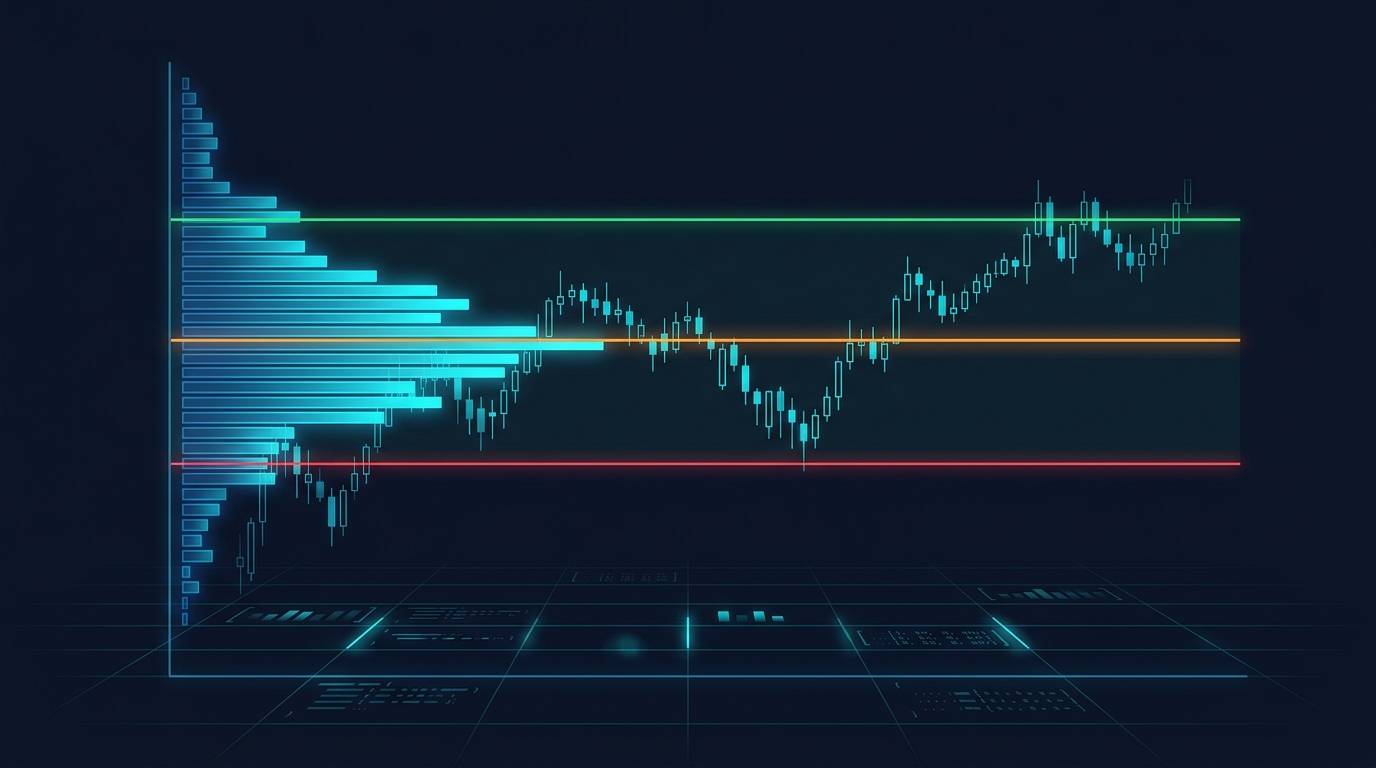
A session volume profile is useful when you want intraday volume context without manually resetting a fixed-range tool at every cash open. The practical build is an indicator that starts fresh at a chosen session, allocates each bar's volume across price rows, then marks the developing point of control (POC) and value area.
Short answer: build the profile with three arrays: one for session bar highs, one for lows, and one for volume. On each session bar, rebuild a fixed number of price bins, distribute bar volume by the portion of each bin overlapped by the bar's range, find the largest bin for POC, then expand outward from that bin until it contains 70% of allocated volume. Draw the rows with box objects and keep POC, VAH, and VAL as lines.
That produces a configurable, session-reset approximation that works on ordinary TradingView chart bars. It is not the same calculation as TradingView's native Volume Profile, which can use lower-timeframe data and applies its own row-sizing rules. The distinction matters most on wide bars, thin markets, and tick-volume feeds.
What this build creates
The script below is an overlay indicator for a regular intraday session. Its defaults target US cash equities and index futures: 09:30-16:00, 48 rows, a 70% value area, and a profile drawn 25 bars to the right of price.
It gives you:
- A developing session profile while the selected session is active.
- A POC line at the highest allocated-volume row.
- VAH and VAL calculated by expanding from POC until the value-area percentage is met.
- Previous-session POC, VAH, and VAL extended to the right.
- Alerts when price crosses the current or most recently completed POC, VAH, or VAL.
- Controls for session, time zone, row count, profile width, colors, and the number of stored bars.
The profile is most readable on 1-minute, 5-minute, or 15-minute charts. A 48-row profile calculated from 5-minute bars has more useful price detail than the same profile calculated from 1-hour bars, because each large candle forces the allocation model to spread its volume across a much wider range.
If you haven't worked with time-filtered drawings before, the session detection pattern is the same foundation used in a session high and low indicator. Here, the state you reset is volume data rather than two price extremes.
The binning model, and why it is an approximation
A true exchange-level volume profile needs transactions at individual prices. Standard chart bars give Pine Script OHLCV, not every trade inside the bar. So a custom script must make an allocation assumption.
This build uses range-weighted allocation:
- Find the active session's lowest low and highest high.
- Divide that price range into equal-height bins.
- For each bar, calculate how much of its high-low range overlaps each bin.
- Allocate the same fraction of the bar's reported volume to that bin.
For example, if a 5-minute bar spans 100.00 to 101.00 and overlaps a 0.25-point row by 0.25 points, that row gets 25% of that bar's volume. A zero-range bar assigns all volume to the bin containing its close.
This is deliberately transparent, but it cannot tell whether volume occurred at the high, low, or middle first. TradingView describes its native Volume Profile calculations as dependent on row size and available lower-timeframe data, so treat this script as a chart-bar model rather than a substitute for the platform's built-in study. TradingView's Volume Profile documentation explains those native calculation concepts.
Tick-volume caveat: on many forex and CFD symbols, volume is tick activity supplied by the data feed, not centralized traded contracts or shares. The code still profiles the field TradingView supplies, but POC then represents the price area with the most allocated tick volume, not a consolidated exchange volume record.
Build the indicator step by step
Before pasting code, choose the session you actually trade. The session input follows TradingView's HHMM-HHMM format. Keep the time zone explicit rather than assuming the symbol's exchange zone, especially when you chart US instruments from another location.
The code uses arrays because the number of rows is dynamic and because session bars must be retained while the developing range changes. Pine arrays are the right structure for mutable collections such as bin volumes and stored bar data. TradingView documents their construction and access methods in its arrays reference.
1. Store each active session bar
The three sessionHighs, sessionLows, and sessionVolumes arrays retain the selected session's OHLCV inputs. At every new session, the script clears them and deletes only the boxes used for the developing profile.
Why rebuild instead of adding volume directly into a bin as each bar closes? The session high and low can expand later. That changes every row boundary. Rebuilding from saved bars keeps all old allocations aligned to the current session range.
2. Find POC, then expand value area
Once bins have volume, POC is simply the highest-volume index. The value-area algorithm starts at POC, compares the next unused row above and below, and adds the larger one. It stops after the selected percentage of total profile volume is included.
That is a practical, deterministic rule. It also avoids the common mistake of taking 70% of rows around the midpoint, which has nothing to do with where volume actually accumulated.
3. Draw only on the last chart update
TradingView limits how many drawing objects a script can retain. The indicator calculates levels across session bars, but it creates the full box profile only on barstate.islast. Pine's bar-state documentation explains that barstate.islast is true on the chart's last bar, including real-time updates, making it a useful place for drawing updates rather than historical clutter. See the bar states reference.
Paste this complete indicator into a new TradingView Pine Editor script:
//@version=6
indicator("Session Volume Profile (Approximation)", overlay = true, max_boxes_count = 150, max_lines_count = 20)

// Session and calculation controls.
sessionInput = input.session("0930-1600", "Profile session")
timezoneInput = input.string("America/New_York", "Session time zone")
rows = input.int(48, "Profile rows", minval = 12, maxval = 100)
valueAreaPct = input.float(70.0, "Value area (%)", minval = 50.0, maxval = 99.0, step = 1.0) / 100.0
maxStoredBars = input.int(500, "Maximum session bars stored", minval = 50, maxval = 1000)
profileWidth = input.int(18, "Maximum profile width (bars)", minval = 4, maxval = 50)
profileOffset = input.int(25, "Profile offset (bars)", minval = 2, maxval = 100)
showPrevious = input.bool(true, "Show previous-session levels")

// Visual controls.
profileColor = input.color(color.new(color.blue, 75), "Profile color")
pocColor = input.color(color.orange, "POC color")
vahColor = input.color(color.lime, "VAH color")
valColor = input.color(color.red, "VAL color")
previousColor = input.color(color.new(color.gray, 20), "Previous-session level color")

inSession = not na(time(timeframe.period, sessionInput, timezoneInput))
sessionStart = inSession and (na(inSession[1]) or not inSession[1])
sessionEnd = not inSession and inSession[1]

// Saved inputs let us rebuild bins whenever the session range extends.
var array<float> sessionHighs = array.new_float()
var array<float> sessionLows = array.new_float()
var array<float> sessionVolumes = array.new_float()
var array<box> profileBoxes = array.new_box()

var float pocPrice = na
var float vahPrice = na
var float valPrice = na
var float previousPoc = na
var float previousVah = na
var float previousVal = na

var line pocLine = na
var line vahLine = na
var line valLine = na
var line previousPocLine = na
var line previousVahLine = na
var line previousValLine = na

// Start a clean data set and remove only the developing profile's boxes.
if sessionStart
    array.clear(sessionHighs)
    array.clear(sessionLows)
    array.clear(sessionVolumes)
    pocPrice := na
    vahPrice := na
    valPrice := na
    if array.size(profileBoxes) > 0
        for boxIndex = 0 to array.size(profileBoxes) - 1
            box.delete(array.get(profileBoxes, boxIndex))
    array.clear(profileBoxes)

// Save one set of values per session bar. A cap protects execution time on very small chart timeframes.
if inSession
    if array.size(sessionHighs) >= maxStoredBars
        array.shift(sessionHighs)
        array.shift(sessionLows)
        array.shift(sessionVolumes)
    array.push(sessionHighs, high)
    array.push(sessionLows, low)
    array.push(sessionVolumes, volume)

// Rebuild the profile from saved bars using the latest session range.
if inSession and array.size(sessionHighs) > 0
    float sessionLow = array.min(sessionLows)
    float sessionHigh = array.max(sessionHighs)
    float rangePadding = sessionHigh == sessionLow ? syminfo.mintick * rows * 0.5 : 0.0
    float profileLow = sessionLow - rangePadding
    float profileHigh = sessionHigh + rangePadding
    float binHeight = (profileHigh - profileLow) / rows
    array<float> binVolumes = array.new_float(rows, 0.0)

    for barIndex = 0 to array.size(sessionHighs) - 1
        float barHigh = array.get(sessionHighs, barIndex)
        float barLow = array.get(sessionLows, barIndex)
        float barVolume = array.get(sessionVolumes, barIndex)
        float barRange = barHigh - barLow

        if barRange == 0.0
            int singleBin = int(math.floor((barHigh - profileLow) / binHeight))
            singleBin := math.max(0, math.min(rows - 1, singleBin))
            array.set(binVolumes, singleBin, array.get(binVolumes, singleBin) + barVolume)
        else
            int firstBin = int(math.floor((barLow - profileLow) / binHeight))
            int lastBin = int(math.floor((barHigh - profileLow) / binHeight))
            firstBin := math.max(0, math.min(rows - 1, firstBin))
            lastBin := math.max(0, math.min(rows - 1, lastBin))

            for binIndex = firstBin to lastBin
                float binLow = profileLow + binIndex * binHeight
                float binHigh = binLow + binHeight
                float overlap = math.max(0.0, math.min(barHigh, binHigh) - math.max(barLow, binLow))
                float allocatedVolume = barVolume * overlap / barRange
                array.set(binVolumes, binIndex, array.get(binVolumes, binIndex) + allocatedVolume)

    float totalVolume = array.sum(binVolumes)
    float maxVolume = array.max(binVolumes)
    int pocIndex = array.indexof(binVolumes, maxVolume)
    int lowerIndex = pocIndex
    int upperIndex = pocIndex
    float valueAreaVolume = array.get(binVolumes, pocIndex)
    float valueAreaTarget = totalVolume * valueAreaPct

    while valueAreaVolume < valueAreaTarget and (lowerIndex > 0 or upperIndex < rows - 1)
        float belowVolume = lowerIndex > 0 ? array.get(binVolumes, lowerIndex - 1) : -1.0
        float aboveVolume = upperIndex < rows - 1 ? array.get(binVolumes, upperIndex + 1) : -1.0
        if aboveVolume > belowVolume
            upperIndex += 1
            valueAreaVolume += aboveVolume
        else
            lowerIndex -= 1
            valueAreaVolume += belowVolume

    pocPrice := profileLow + (pocIndex + 0.5) * binHeight
    vahPrice := profileLow + (upperIndex + 1.0) * binHeight
    valPrice := profileLow + lowerIndex * binHeight

    // Update the three developing level lines on the visible chart edge only.
    if barstate.islast
        if not na(pocLine)
            line.delete(pocLine)
        if not na(vahLine)
            line.delete(vahLine)
        if not na(valLine)
            line.delete(valLine)

        pocLine := line.new(bar_index, pocPrice, bar_index + profileOffset, pocPrice, xloc = xloc.bar_index, extend = extend.right, color = pocColor, width = 2)
        vahLine := line.new(bar_index, vahPrice, bar_index + profileOffset, vahPrice, xloc = xloc.bar_index, extend = extend.right, color = vahColor, style = line.style_dashed)
        valLine := line.new(bar_index, valPrice, bar_index + profileOffset, valPrice, xloc = xloc.bar_index, extend = extend.right, color = valColor, style = line.style_dashed)

        if array.size(profileBoxes) > 0
            for boxIndex = 0 to array.size(profileBoxes) - 1
                box.delete(array.get(profileBoxes, boxIndex))
        array.clear(profileBoxes)

        for binIndex = 0 to rows - 1
            float binVolume = array.get(binVolumes, binIndex)
            int binWidth = maxVolume > 0.0 ? int(math.round(binVolume / maxVolume * profileWidth)) : 0
            float binLow = profileLow + binIndex * binHeight
            float binHigh = binLow + binHeight
            int rightEdge = bar_index + profileOffset
            int leftEdge = rightEdge - binWidth
            color rowColor = binIndex == pocIndex ? color.new(pocColor, 55) : profileColor
            box rowBox = box.new(left = leftEdge, top = binHigh, right = rightEdge, bottom = binLow, xloc = xloc.bar_index, bgcolor = rowColor, border_color = color.new(rowColor, 100))
            array.push(profileBoxes, rowBox)

// Persist the final developing values as previous-session reference levels.
if sessionEnd
    previousPoc := pocPrice
    previousVah := vahPrice
    previousVal := valPrice

    if showPrevious and not na(previousPoc)
        if not na(previousPocLine)
            line.delete(previousPocLine)
        if not na(previousVahLine)
            line.delete(previousVahLine)
        if not na(previousValLine)
            line.delete(previousValLine)
        previousPocLine := line.new(bar_index, previousPoc, bar_index + 1, previousPoc, xloc = xloc.bar_index, extend = extend.right, color = previousColor, width = 2)
        previousVahLine := line.new(bar_index, previousVah, bar_index + 1, previousVah, xloc = xloc.bar_index, extend = extend.right, color = previousColor, style = line.style_dotted)
        previousValLine := line.new(bar_index, previousVal, bar_index + 1, previousVal, xloc = xloc.bar_index, extend = extend.right, color = previousColor, style = line.style_dotted)

// During the session, alerts use developing levels. Between sessions, they use the latest completed levels.
float alertPoc = inSession ? pocPrice : previousPoc
float alertVah = inSession ? vahPrice : previousVah
float alertVal = inSession ? valPrice : previousVal

alertcondition(ta.crossover(close, alertPoc), "Volume Profile POC Break Up", "Price crossed above the session volume-profile POC.")
alertcondition(ta.crossunder(close, alertPoc), "Volume Profile POC Break Down", "Price crossed below the session volume-profile POC.")
alertcondition(ta.crossover(close, alertVah), "Volume Profile VAH Break Up", "Price crossed above the session volume-profile VAH.")
alertcondition(ta.crossunder(close, alertVal), "Volume Profile VAL Break Down", "Price crossed below the session volume-profile VAL.")
TradingView's lines and boxes documentation is worth keeping open while you adapt the drawing section. box objects are ideal here because each row needs both a price height and a horizontal width that represents relative volume.
Configure the profile for your market
Start with 48 rows and change only one variable at a time. More rows do not automatically mean more accuracy. They create narrower bins from the same bar data, which can make the profile look precise while merely slicing a broad candle into more assumptions.
| Market and chart | Starting session | Rows | Stored bars | Why |
|---|---|---|---|---|
| US stocks, 5-minute | 0930-1600 New York | 48 | 100 | Covers the 78 regular-session bars with spare capacity. |
| ES or NQ, 5-minute RTH | 0930-1600 New York | 60 | 100 | Slightly finer bins for an active, liquid range. |
| Forex, 15-minute London | 0800-1700 Europe/London | 40 | 60 | Tick volume and wider bars argue for fewer rows. |
| Crypto, 15-minute daily | 0000-2359 UTC | 48 | 100 | Uses an explicit UTC reset for a 24/7 market. |
Set maxStoredBars above the number of bars in your session. A 6.5-hour US regular session contains 390 one-minute bars, 78 five-minute bars, and 26 fifteen-minute bars. If you use a 1-minute chart, increase the default from 500 only if needed, and reduce rows first if the script feels heavy.
The previous-session levels are references, not trade signals by themselves. One concrete workflow is to watch a 5-minute rejection at prior VAH, then require a close back below VAH before treating it as a potential rotation toward POC. Pair that market-structure decision with a defined stop, rather than entering simply because a line was touched. If you're turning level reactions into testable orders, see how to add commission and slippage to a Pine strategy before trusting any report.
Read developing levels without fooling yourself
Developing POC, VAH, and VAL move while a session is open because new volume arrives and the session range may expand. That movement is expected. It isn't the same as repainting caused by future data.
A useful rule is simple: make discretionary decisions on a completed chart bar, and build alerts around close crossings as this script does. If you convert the logic into a strategy, avoid evaluating a developing profile as though its final session location was known at the open. The distinction is central to why Pine Script indicators repaint.
The script preserves the final calculated values when the next bar falls outside the chosen session. Those become the gray previous-session lines. On a live chart, the final developing boxes remain visible after the close, then clear on the next selected session's first bar.
Performance and object-limit hygiene
The expensive part is not drawing 48 boxes. It is rebuilding allocations from every saved bar across every overlapped row. A large bar can overlap many rows, so runtime rises with both maxStoredBars and rows.
Use these guardrails:
- Keep
rowsbetween 32 and 70 on most intraday charts. - Store only the active session. Do not retain every session in arrays unless you redesign the script around strict object deletion and lower history depth.
- Keep
max_boxes_countabove your maximum row count. This script allows 150 boxes for a maximum of 100 rows. - Update boxes only under
barstate.islast. Levels are still calculated through history, while the visible drawing workload stays controlled. - Test the script on the lowest timeframe you intend to use. A setting that is fine on a 15-minute chart may be needlessly expensive at one minute.
The stored-bar cap is a conscious trade-off. If the session contains more bars than maxStoredBars, the oldest bars are removed from the calculation. That is better than silently exhausting execution limits, but it means the profile becomes a trailing portion of the session. Set the cap high enough that it never activates for your planned chart interval.
Common mistakes when coding session profiles
❌ Mistake: adding each bar's full volume to the bin containing its close. This creates a close-volume histogram, not a range-weighted profile. A wide bar with a close at one extreme will badly overstate one row.
✅ Do this: split a non-zero-range bar by overlap, as the code does. Use the close-bin shortcut only when high == low.
❌ Mistake: keeping old bin totals when the session prints a new high or low. The row boundaries moved, so old volume now belongs in different bins.
✅ Do this: retain bar highs, lows, and volumes, then rebuild the bin array using the current session range.
❌ Mistake: setting 150 rows on a 15-minute chart because the profile looks detailed. It is mostly a detailed display of assumptions from each broad candle.
✅ Do this: begin with 40 to 60 rows. Increase rows only after moving to a lower chart timeframe and confirming that the profile's decisions remain stable.
❌ Mistake: treating a mid-session POC cross as a completed-session breakout. The POC can shift again before the close.
✅ Do this: use developing crossings for alerts or intraday context, but tag completed-session levels separately in any rules-based test.
Pro tips for turning the profile into a usable tool
Use two sessions, not one oversized profile. On US index futures, one instance can cover 0930-1600 New York cash hours while another covers the overnight session. Give them different colors. That makes the cash-session auction easier to distinguish from the full 24-hour distribution.
Watch acceptance, not the first touch. A close above VAH followed by a second bar holding above it says more than a wick through VAH. For a mechanical version, require two 5-minute closes beyond VAH and place the invalidation one tick below the breakout bar's low.
Keep the profile's scale fixed per use case. If you compare days, use the same row count and session definition. Changing from 24 to 96 rows changes what “high volume node” means, so it invalidates visual comparisons.
Add a session VWAP only as a separate confirmation. A profile tells you where allocated volume accumulated; VWAP summarizes volume-weighted price. They can complement each other, but they are not interchangeable. You can build a separate test around the ideas in this VWAP mean-reversion strategy guide.
Generating this without writing the code yourself
HorizonAI can generate a Pine Script v6 version of this session profile from a precise build brief, then compile-check it and revise it in chat. It writes the indicator code, it doesn't place trades or connect to a broker.
Create a Pine Script v6 overlay indicator named “RTH Session Volume Profile.” Use the
0930-1600session inAmerica/New_York. Store each session bar's high, low, and volume in arrays. On each session bar, rebuild 48 equal price bins from the session low to high and distribute each bar's volume proportionally by high-low overlap. Plot developing POC, 70% value-area high, and value-area low. Draw profile rows as boxes 25 bars right of price, with a maximum width of 18 bars. Preserve and extend the prior session's POC, VAH, and VAL. Add close-cross alert conditions. Cap stored session bars at 500 and use Pine v6 object limits safely.
For a lighter version, ask it to replace boxes with lines, reduce the profile to 32 rows, or change the cash session to London or UTC. You get compile-checked Pine code that you can inspect and edit in the browser's Monaco editor, then copy into TradingView yourself. Try it free →
FAQs
Is this session volume profile the same as TradingView's built-in Volume Profile?
No. This script estimates distribution from OHLCV chart bars by allocating volume across each bar's range. TradingView's native profile can use lower-timeframe data and different internal rules, so exact POC and value-area values can differ.
Why does the POC move during the session?
New bars add volume and can expand the session's high-low range, which changes bin boundaries and allocations. The POC becomes fixed only after the session ends and the script stores it as a previous-session level.
What row count should I use for a 5-minute chart?
Start at 48 rows for a standard 6.5-hour cash session. Try 40 to 60 before going higher, then compare whether the key levels stay consistent across nearby settings.
Can I use this on forex or crypto?
Yes. Set the session and time zone for the market window you want. On many forex symbols, remember that the volume field is usually tick volume, while crypto volume depends on the exchange feed on your chart.
Why are the oldest session bars missing from my profile?
The maxStoredBars safety cap removes oldest bars after the limit is reached. Raise it above the number of bars in your selected session at your chart timeframe, while keeping rows reasonable for performance.
Final thoughts
A useful custom session profile isn't defined by how many rows it draws. It needs a stated allocation rule, an explicit session boundary, and levels you can distinguish as developing or completed. Start with 48 rows, 70% value area, and a 5-minute chart, then verify that your decisions do not change wildly when you shift to 40 or 56 rows.
Related articles
- How to Code a Session High and Low Indicator in Pine v6 — Reset intraday reference levels using the same session logic.
- Pine Script Repainting: Why It Happens and How to Fix It — Separate normal developing values from future-data bias.
- Build a VWAP Mean Reversion Strategy in Pine Script v6 — Test volume-weighted price context with defined entries and exits.
- How to Use Bar Magnifier in a Pine Script v6 Strategy — Improve intrabar assumptions when you turn chart logic into a strategy.
- Pine Script v6: Add Commission and Slippage to Strategies — Model trade costs before judging level-based rules.
- How to Build a Trading Dashboard Table in Pine Script v6 — Add a compact session-level dashboard to a custom indicator.
- How to Convert a Pine Script Indicator Into a Strategy for Backtesting — Turn indicator conditions into testable orders.
- Pine Script Tutorial for Beginners — Review Pine workflows and editor basics.
Questions about session volume profiles? Join our Discord to discuss with other traders!