
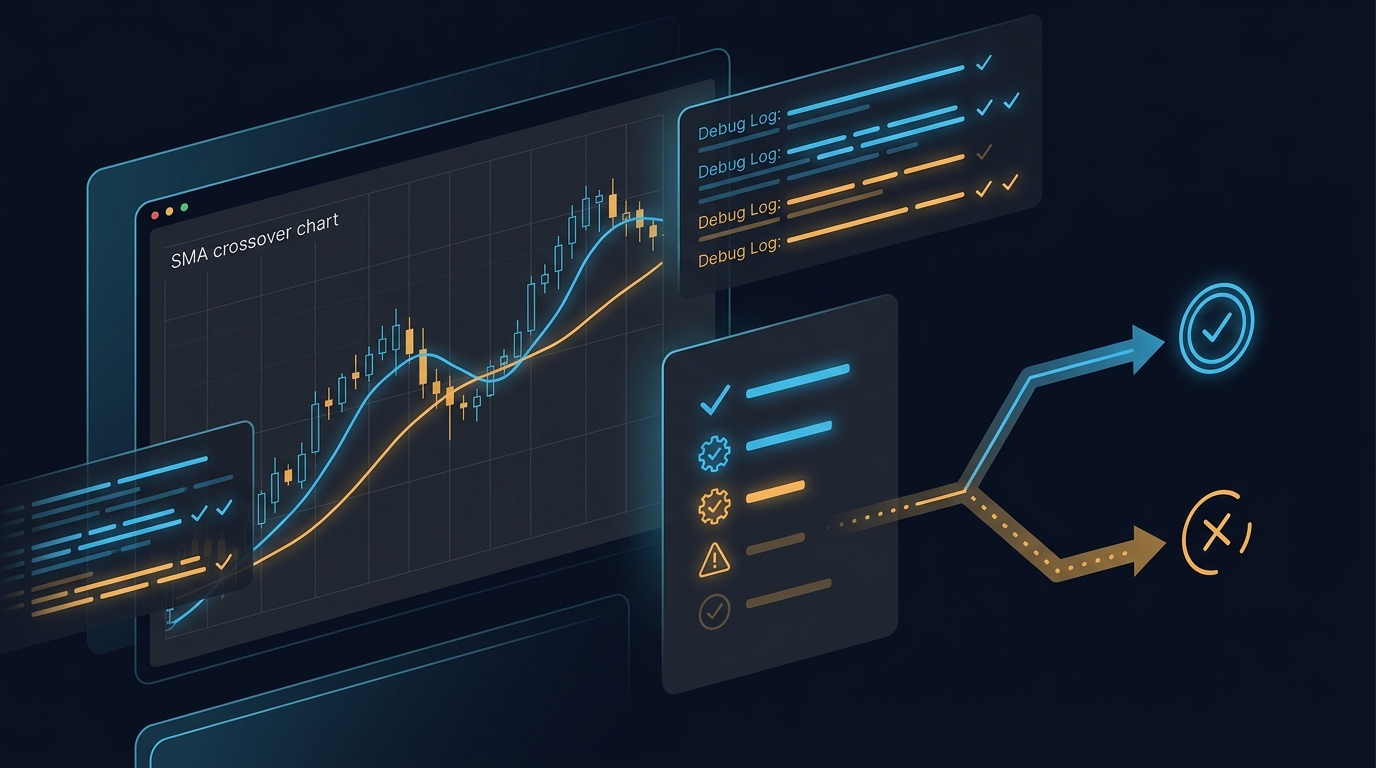
NinjaTrader Strategy Not Taking Trades? A Debug Checklist
By HorizonAI Team · 12 min read · Intermediate
Why Your NinjaTrader Strategy Is Not Taking Trades
A NinjaTrader strategy that compiles, plots indicators, and still shows zero trades is usually being blocked by an execution gate, not a mysterious platform bug. The fastest fix is to prove exactly where the decision chain stops: strategy state, enough bars, time and session rules, signal conditions, position state, then order acceptance.
Short answer: start with a minimal SMA-cross strategy on the same instrument, bar type, date range, and Trading Hours template. If that trades, add your filters back one at a time while printing each condition. If it does not, check whether the strategy is enabled, has enough historical bars, and is evaluating on the bar timing you expect.
A strategy can only enter when all of its guards are true on a call to OnBarUpdate(). BarsRequiredToTrade, CurrentBar or CurrentBars guards, Calculate, session windows, MarketPosition, and broker or simulator order errors can each reduce a valid-looking setup to no order at all. NinjaTrader documents these lifecycle and evaluation controls in its references for OnStateChange(), OnBarUpdate(), and strategy settings.
Use this five-minute triage before editing logic
Work down this list in order. Stop as soon as you find a failed check. Changing three filters at once destroys the evidence you need.
- Confirm the strategy is actually running. On a chart, open the Strategies tab, make sure the strategy is enabled, the selected account and instrument are correct, and the instance has no red error text. In Strategy Analyzer, confirm the instrument, bar type, date range, Trading Hours template, and commission template before reading a zero-trade result.
- Make the test window generous. Load at least several weeks of data for an intraday system, or enough daily bars for every lookback plus a meaningful number of signals. A 200-period trend filter cannot evaluate on a 100-bar sample.
- Disable optional filters temporarily. Leave one entry condition, one exit, one quantity. Remove news windows, trend filters, volatility thresholds, daily-loss locks, and multi-series confirmation until the base signal places trades.
- Read the NinjaScript Output window. A
Print()at each gate tells you whether the code reached the signal and why it refused it. - Only then inspect order callbacks. If the entry method fires but no position appears, log
OnOrderUpdate()andOnExecutionUpdate()to distinguish an order submission, rejection, cancellation, and fill.
A chart strategy and a Strategy Analyzer test can legitimately differ when their data, session template, fill assumptions, or bar construction differ. Keep those inputs identical during diagnosis. For a clean starting point, compare your initialization against the setup in our first NinjaTrader strategy tutorial.
Prove the engine can trade with a bare SMA cross
Before debugging your full ruleset, run a deliberately boring control strategy. It uses a 9/21 SMA crossover, evaluates on bar close, exits on the opposite cross, and has no session or trend filter. If this produces trades on a liquid instrument over a broad history, NinjaTrader's strategy engine, historical data, and basic order methods are functioning. Your extra conditions are the suspect.
#region Using declarations
using System;
using NinjaTrader.Cbi;
using NinjaTrader.Data;
using NinjaTrader.NinjaScript;
using NinjaTrader.NinjaScript.Indicators;
#endregion

namespace NinjaTrader.NinjaScript.Strategies
{
    public class SmaCrossControlTest : Strategy
    {
        private SMA fastSma;
        private SMA slowSma;

        protected override void OnStateChange()
        {
            if (State == State.SetDefaults)
            {
                Description = "Minimal 9/21 SMA crossover used to test order flow.";
                Name = "SmaCrossControlTest";
                Calculate = Calculate.OnBarClose;
                EntriesPerDirection = 1;
                EntryHandling = EntryHandling.AllEntries;
                IsExitOnSessionCloseStrategy = true;
                ExitOnSessionCloseSeconds = 30;
                BarsRequiredToTrade = 21;
            }
            else if (State == State.DataLoaded)
            {
                fastSma = SMA(9);
                slowSma = SMA(21);
            }
        }

        protected override void OnBarUpdate()
        {
            if (CurrentBar < BarsRequiredToTrade)
                return;

            if (CrossAbove(fastSma, slowSma, 1) && Position.MarketPosition != MarketPosition.Long)
                EnterLong("ControlLong");

            if (CrossBelow(fastSma, slowSma, 1) && Position.MarketPosition == MarketPosition.Long)
                ExitLong("ControlExit", "ControlLong");
        }
    }
}
Run it in Strategy Analyzer first, then apply the same strategy to a chart with the same data series. A zero-trade result here points to configuration or insufficient data, not your proprietary signal. A working result tells you to restore your original strategy in small pieces, beginning with its indicator calculations.
NinjaTrader's BarsRequiredToTrade prevents order submission until the specified number of bars has processed. The value does not create more history. If your Analyzer range contains fewer usable bars after session boundaries or a custom bar type's construction, no entry can occur. See NinjaTrader's BarsRequiredToTrade reference.
Add diagnostic logging that explains every skipped entry
A vague Print("Long") isn't enough. Log the values that determine each gate and use a different message for each early return. The scaffold below is a complete strategy so you can compile it, run it, and adapt the diagnostics to your own conditions.
#region Using declarations
using System;
using System.ComponentModel;
using System.ComponentModel.DataAnnotations;
using NinjaTrader.Cbi;
using NinjaTrader.Data;
using NinjaTrader.NinjaScript;
using NinjaTrader.NinjaScript.Indicators;
#endregion

namespace NinjaTrader.NinjaScript.Strategies
{
    public class SmaCrossDiagnosticStrategy : Strategy
    {
        private SMA fastSma;
        private SMA slowSma;

        [NinjaScriptProperty]
        [Range(0, 235959)]
        [Display(Name = "StartTime", Order = 1, GroupName = "Parameters")]
        public int StartTime { get; set; }

        [NinjaScriptProperty]
        [Range(0, 235959)]
        [Display(Name = "EndTime", Order = 2, GroupName = "Parameters")]
        public int EndTime { get; set; }

        protected override void OnStateChange()
        {
            if (State == State.SetDefaults)
            {
                Description = "SMA crossover with messages for every execution gate.";
                Name = "SmaCrossDiagnosticStrategy";
                Calculate = Calculate.OnBarClose;
                EntriesPerDirection = 1;
                EntryHandling = EntryHandling.AllEntries;
                BarsRequiredToTrade = 21;
                StartTime = 93000;
                EndTime = 160000;
            }
            else if (State == State.DataLoaded)
            {
                fastSma = SMA(9);
                slowSma = SMA(21);
            }
        }

        protected override void OnBarUpdate()
        {
            if (CurrentBar < BarsRequiredToTrade)
            {
                Print(Time[0] + " | Waiting for bars: " + CurrentBar + "/" + BarsRequiredToTrade);
                return;
            }

            int currentTime = ToTime(Time[0]);
            if (currentTime < StartTime || currentTime > EndTime)
            {
                Print(Time[0] + " | Blocked by time window: " + currentTime);
                return;
            }

            bool crossUp = CrossAbove(fastSma, slowSma, 1);
            bool flat = Position.MarketPosition == MarketPosition.Flat;

            Print(Time[0] + " | fast=" + fastSma[0].ToString("0.00")
                + " slow=" + slowSma[0].ToString("0.00")
                + " crossUp=" + crossUp
                + " flat=" + flat);

            if (crossUp && flat)
            {
                Print(Time[0] + " | Submitting DiagnosticLong");
                EnterLong("DiagnosticLong");
            }
        }

        protected override void OnOrderUpdate(Order order, double limitPrice, double stopPrice,
            int quantity, int filled, double averageFillPrice, OrderState orderState,
            DateTime time, ErrorCode error, string comment)
        {
            Print(time + " | Order=" + order.Name
                + " state=" + orderState
                + " filled=" + filled
                + " error=" + error
                + " comment=" + comment);
        }

        protected override void OnExecutionUpdate(Execution execution, string executionId,
            double price, int quantity, MarketPosition marketPosition,
            string marketPositionByOrder, DateTime time)
        {
            Print(time + " | Execution=" + execution.Name
                + " price=" + price.ToString("0.00")
                + " quantity=" + quantity
                + " position=" + marketPosition);
        }
    }
}
Use this as a pattern, not a permanent firehose. Print only for a small date range, then remove or gate verbose messages once you locate the failure. NinjaTrader's OnOrderUpdate() documentation explains that order-state changes occur throughout an order's life, which is why it is the right place to catch a rejection or cancellation that never becomes a fill.
Fix the four gates that most often block OnBarUpdate()
1. BarsRequiredToTrade and indicator warm-up
BarsRequiredToTrade = 20 allows order methods after 20 bars. It does not mean every indicator is ready. If you use SMA(200), ATR(14), and a 50-bar highest-high condition, use the longest lookback as your initial guard, then add one extra bar when your logic references [1].
Use this guard for that example: if (CurrentBar < 201) return;.
Don't silently retain an old CurrentBar < 500 guard from a prototype. Print it once during your test. It is common to run a 1-minute strategy over a short date range and never reach that line.
2. Calculate mode and intrabar assumptions
Calculate.OnBarClose calls your main bar logic only after the bar closes. A crossover that existed mid-bar and vanished before the close will not be true in that mode. Calculate.OnEachTick and Calculate.OnPriceChange can react earlier in real time, but historical processing is still constrained by the available bar data unless you deliberately use Tick Replay or a multi-series design.
Pick the mode that matches the rule you intend to test. Do not “fix” zero trades by changing the mode without also checking what counts as a valid signal. NinjaTrader details the timing differences in its Calculate reference.
3. Time windows and Trading Hours templates
A condition such as ToTime(Time[0]) >= 93000 && ToTime(Time[0]) <= 160000 uses the timestamp and timezone represented by your series. It does not guarantee that your chosen Trading Hours template has bars at those times. A futures chart using an ETH template, an RTH-only Analyzer test, and a holiday-shortened session can produce very different eligible bars.
Print Time[0], ToTime(Time[0]), and the exact window. Then temporarily remove the time rule. If trades suddenly appear, correct the template or session rule before changing the entry signal.
4. Position and entry handling rules
Many strategies only enter from flat, with a gate such as bool canEnterLong = Position.MarketPosition == MarketPosition.Flat;.
That is sensible, but it also blocks every later long signal if an exit never fires. EntriesPerDirection, EntryHandling, signal names, and working exits can all affect the outcome. For a diagnostic pass, print Position.MarketPosition on every candidate signal and make the entry rule explicit.
Multi-series strategies need a guard for every series
A multi-timeframe strategy can look perfect on its primary chart and still return before it evaluates an entry. OnBarUpdate() is called for every added series. BarsInProgress identifies which one caused the call, and every series has its own CurrentBars count.
Use a primary-series gate and then verify both series are ready: if (BarsInProgress != 0) return; followed by if (CurrentBars[0] < 50 || CurrentBars[1] < 200) return;.
The first rule says the primary series owns order decisions. The second says both the primary and secondary series have enough history. If you only check CurrentBar, the secondary 200-period trend filter may still be uninitialized when the primary series tries to trade. Our multi-timeframe NinjaScript strategy guide shows the structure; here, the key is to print the two counts before returning so you know which series is late.
When an entry method runs but the order never fills
If your Output window says “Submitting” but Strategy Performance stays empty, stop debugging indicators. You have crossed from signal diagnosis into order diagnosis.
Check the order update log for these categories:
| Log symptom | Likely cause | Fix |
|---|---|---|
No Submitting message | A prior condition or return blocked the signal | Print each boolean and temporarily remove filters. |
Submitted followed by Rejected | Invalid price, quantity, account setting, or order rule | Read error and comment; correct the exact rejected field. |
Working but no fill | Limit/stop price was never reached | Test with a market entry or inspect the calculated price. |
| Filled order but no new entry later | Position is not flat or an exit signal is mismatched | Print position state and pair exit signal names correctly. |
A protective stop or target can also create the illusion of no entry if you only inspect the final position. In the Orders and Executions tabs, check whether a quick entry and exit occurred on the same bar or session close. This matters even more when you are adapting logic from another platform, as explained in our Pine Script to NinjaScript conversion guide.
Rebuild the strategy one filter at a time
Once the control strategy trades, resist the urge to paste back the entire original script. Use a fixed restoration order and rerun the same test range after every step:
- Base entry only, such as the 9/21 cross.
- Position gate and exits.
- Time window.
- Trend filter, for example close above SMA(200).
- Volatility filter, for example ATR(14) above a defined threshold.
- Secondary-series confirmation.
- Daily limits, cooldowns, and custom risk rules.
Record trade count after each change. The first step that collapses the count to zero is the condition to inspect. This approach is more reliable than staring at a compound boolean like crossUp && trendOk && volumeOk && timeOk && riskOk and assuming the crossover is broken.
If the strategy begins trading after you remove a filter, don't automatically discard that filter. Check whether its threshold uses the correct units for the instrument. ATR values, tick offsets, and volume baselines do not transfer unchanged between ES, CL, forex, and equities.
Common mistakes that create zero-trade backtests
❌ Mistake: Testing a 200-bar filter over one short session. A 5-minute chart needs 200 completed 5-minute bars before a 200-period SMA can participate, even before your entry setup appears.
✅ Do this: set the Analyzer range wide enough for warm-up plus a representative test period, then log CurrentBar at the guard.
❌ Mistake: Coding a 09:30-16:00 rule and assuming it means New York cash hours. The series timestamp and Trading Hours template decide what time your code sees.
✅ Do this: print Time[0] and ToTime(Time[0]), then verify the selected template on both chart and Analyzer.
❌ Mistake: Checking only CurrentBar in a two-series strategy. Your primary series may be ready while the higher-timeframe series has only 30 bars.
✅ Do this: check CurrentBars[0] and CurrentBars[1] against the actual lookbacks of both series.
❌ Mistake: Treating a rejected order as a missing signal. Your code can submit an order successfully from OnBarUpdate() while the order is refused later.
✅ Do this: add OnOrderUpdate() logging and use the reported error and comment rather than guessing.
Pro tips for faster NinjaScript debugging
Name orders by purpose. EnterLong("BreakoutLong") is easier to trace than a blank signal name, especially when matching exits and reading callbacks.
Use one boolean per rule. Write bool trendOk, bool timeOk, and bool triggerOk, then print them. You gain an audit trail and avoid losing a failing sub-condition inside a long expression.
Keep a known-good control strategy. Save the SMA test unchanged. When a new strategy reports zero trades, run the control on the exact same instrument, data series, dates, and template first.
Separate “no signal” from “no fill.” The former is a condition problem. The latter is an order-state, fill-model, or price problem. They require different logs.
Generating this without writing the code yourself
HorizonAI can generate a NinjaScript diagnostic strategy from a plain-English specification, compile-check it, and let you refine the code in chat or its browser editor. It writes the strategy code, it doesn't connect to a broker or place live trades for you.
Build a NinjaTrader 8 NinjaScript strategy named SmaCrossDiagnosticStrategy. Use 9 and 21 SMA indicators, Calculate.OnBarClose, BarsRequiredToTrade 21, and a 09:30 to 16:00 time filter using ToTime(Time[0]). Print a distinct message for insufficient bars, time-window blocks, fast SMA, slow SMA, crossover state, and flat-position state. Enter long only on a bullish cross while flat. Add OnOrderUpdate and OnExecutionUpdate logging with order state, error, comment, fill price, quantity, and market position. Use valid NinjaTrader 8 namespaces and compile-ready code.
You can then ask it to add your own EMA, ATR, or multi-series gates one at a time, or paste an existing script and ask for logs around every early return. HorizonAI supports NinjaScript generation, edits, conversions, and compiler validation, but NinjaScript strategies are compiled rather than backtested inside HorizonAI.
FAQs
Why does my NinjaTrader strategy work in Strategy Analyzer but not on a chart?
The chart instance may use a different instrument expiry, bar type, Trading Hours template, account, or amount of loaded history. Match those inputs exactly, then use Print logging to compare the bar time and condition values.
Does BarsRequiredToTrade prevent indicators from calculating?
No. Indicators can calculate as bars arrive, but NinjaTrader prevents strategy order submission until the configured bar count is reached. Your own CurrentBar or CurrentBars checks may impose a longer wait.
Why is my crossover visible on the chart but not entering a trade?
With Calculate.OnBarClose, the strategy tests the crossover at bar close, not at every intrabar movement. The visible lines may cross during a bar and uncross before the close, or another gate such as time, trend, or position state may block the order.
How do I find out why NinjaTrader rejected an order?
Override OnOrderUpdate() and print the order state, ErrorCode, and comment. That callback exposes the transition to Rejected and the platform's reason, whereas an entry condition log only proves that your code requested the order.
Final thoughts
A zero-trade NinjaScript strategy is diagnosable when you treat it as a chain of gates instead of a single failed entry. First prove the control strategy trades. Then print warm-up, time, signal, and position values, and finally read the order lifecycle if submission occurs.
The practical habit worth keeping is this: whenever you add a new filter, log its boolean and retest the same fixed period before adding the next one. It turns a silent failure into one identifiable line of code.
Related articles
- NinjaScript Tutorial: Code Your First NinjaTrader 8 Strategy — Build and run a clean baseline strategy.
- How to Build a Multi-Timeframe Strategy in NinjaScript — Add higher-timeframe confirmation without series-index errors.
- How to Convert Pine Script to NinjaScript for NinjaTrader 8 — Translate strategy logic while preserving platform-specific behavior.
- Create a Custom NinjaTrader 8 Indicator With NinjaScript — Build indicators you can inspect before turning them into entries.
- How to Backtest a Trading Strategy — Build a repeatable test workflow around your repaired strategy.
- How to Backtest Trading Strategies Like a Pro — Avoid test setup errors that distort results.
- Understanding Backtesting Metrics — Read performance output after your strategy begins placing trades.
- MT5 EA Not Opening Trades: MQL5 Debugging Checklist — Apply the same gate-by-gate debugging method in MetaTrader 5.
Questions about NinjaTrader strategy debugging? Join our Discord to discuss with other traders!