
How to Build a Multi-Timeframe Strategy in NinjaScript
By HorizonAI Team · 11 min read · Intermediate
Build a Multi-Timeframe NinjaScript Strategy That Works
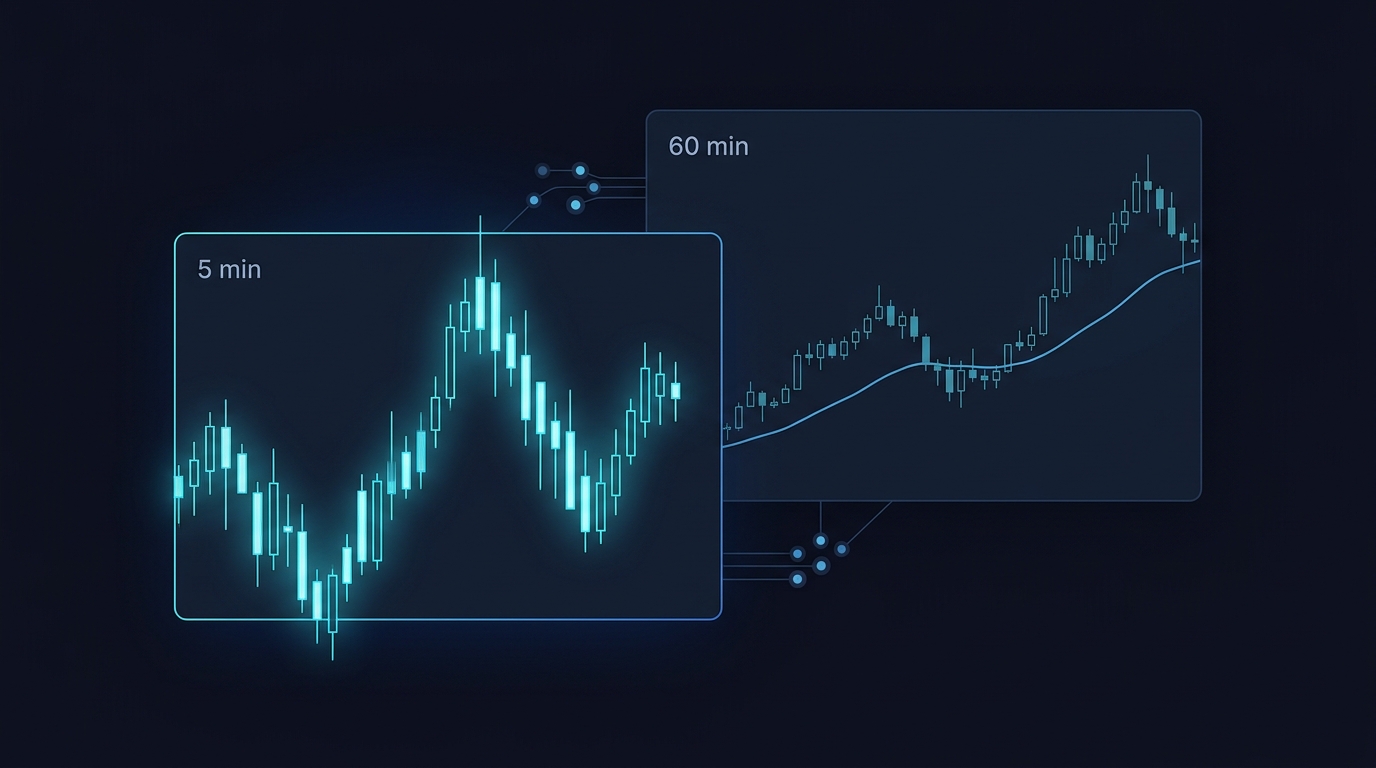
A 5-minute EMA crossover reacts quickly, including during every noisy sideways patch. A higher-timeframe trend filter gives that fast entry a direction test: take longs only when the 60-minute market is above its trend EMA, and shorts only when it is below.
Short answer: Build a multi-timeframe NinjaTrader 8 strategy by adding the higher timeframe in State.Configure, waiting until both series have enough bars, and limiting order decisions to the primary series with BarsInProgress == 0. Read the higher-timeframe EMA through BarsArray[1], then place a 5-minute crossover entry only when the filter agrees.
The important part is event sequencing. Adding a 60-minute series makes OnBarUpdate() run for the 5-minute series and again for the 60-minute series. Without CurrentBars and BarsInProgress guards, a strategy can access data before it exists, evaluate entries twice, or send an order from the wrong update stream. The complete build below avoids those failures and adds tick-based exits.
The MTF model: quick trigger, slower direction
This strategy uses two data series for the same instrument:
| Role | Series | Rule |
|---|---|---|
| Entry series | Primary 5-minute chart | Fast EMA crosses slow EMA |
| Trend filter | Added 60-minute series | Close is above or below a 50-period EMA |
| Long entry | 5-minute | Bullish crossover and hourly close above hourly EMA |
| Short entry | 5-minute | Bearish crossover and hourly close below hourly EMA |
| Risk control | Per entry | 20-tick stop and 40-tick target by default |
The 5-minute crossover answers, “has momentum changed now?” The 60-minute condition answers, “does that change agree with the broader intraday direction?” It doesn’t forecast the next candle. It rejects lower-timeframe signals that conflict with the stated hourly trend rule.
Use a liquid instrument and attach this version to a 5-minute chart. If you apply it to a 15-minute chart, the primary crossover logic becomes 15-minute logic. The secondary series remains the number of minutes set by HigherTimeFrameMinutes.
If you need the single-series foundation first, start with how to code your first NinjaTrader 8 strategy. The new challenge here isn’t a different entry method. It’s controlling multiple bar-update streams.
What AddDataSeries() changes in a strategy
Add the secondary series in State.Configure. The chart series is index 0; the first series added by AddDataSeries() is index 1. NinjaTrader’s AddDataSeries() reference describes how added bars are configured, while its multi-time-frame guide explains the indexing and processing model.
Keep four rules in view:
- Add the secondary series once in
State.Configure. Never add it fromOnBarUpdate(). - Index 0 is primary and index 1 is the hourly data.
Closes[1][0]is the latest close of the added series. - Every series invokes
OnBarUpdate().BarsInProgressidentifies which series triggered this call. - Check history for every series. Your five-minute chart may have 500 bars while the hourly series is still short of the 50 bars needed for its trend EMA.
A 5-minute chart closes twelve bars for each hourly bar. That mismatch is expected, but it means a single-series CurrentBar check is no longer enough.
Architecture rule: Create each indicator from the data series it is meant to measure. Entry EMAs belong to the primary series; the hourly EMA must be created from
BarsArray[1].
Complete NinjaScript MTF EMA strategy
Create a NinjaTrader 8 strategy, replace the generated class with this code, compile it, then apply it to a 5-minute chart. The properties make the fast EMA, slow EMA, hourly interval, trend EMA, stop, target, and quantity editable in the strategy window.
#region Using declarations
using System;
using System.ComponentModel;
using System.ComponentModel.DataAnnotations;
using NinjaTrader.Cbi;
using NinjaTrader.Data;
using NinjaTrader.NinjaScript;
using NinjaTrader.NinjaScript.Indicators;
#endregion

namespace NinjaTrader.NinjaScript.Strategies
{
    public class MultiTimeframeEmaStrategy : Strategy
    {
        private EMA fastEma;
        private EMA slowEma;
        private EMA higherTimeframeTrendEma;

        protected override void OnStateChange()
        {
            if (State == State.SetDefaults)
            {
                Description = "Five-minute EMA crossover with a higher-timeframe EMA trend filter.";
                Name = "MultiTimeframeEmaStrategy";
                Calculate = Calculate.OnBarClose;
                EntriesPerDirection = 1;
                EntryHandling = EntryHandling.AllEntries;
                IsExitOnSessionCloseStrategy = true;
                ExitOnSessionCloseSeconds = 30;
                BarsRequiredToTrade = 50;

                FastEmaPeriod = 9;
                SlowEmaPeriod = 21;
                HigherTimeFrameMinutes = 60;
                TrendEmaPeriod = 50;
                StopLossTicks = 20;
                ProfitTargetTicks = 40;
                Quantity = 1;
            }
            else if (State == State.Configure)
            {
                AddDataSeries(BarsPeriodType.Minute, HigherTimeFrameMinutes);

                SetStopLoss("LongMtf", CalculationMode.Ticks, StopLossTicks, false);
                SetProfitTarget("LongMtf", CalculationMode.Ticks, ProfitTargetTicks);
                SetStopLoss("ShortMtf", CalculationMode.Ticks, StopLossTicks, false);
                SetProfitTarget("ShortMtf", CalculationMode.Ticks, ProfitTargetTicks);
            }
            else if (State == State.DataLoaded)
            {
                fastEma = EMA(FastEmaPeriod);
                slowEma = EMA(SlowEmaPeriod);
                higherTimeframeTrendEma = EMA(BarsArray[1], TrendEmaPeriod);
            }
        }

        protected override void OnBarUpdate()
        {
            // Do not access either indicator until both series are ready.
            if (CurrentBars[0] < SlowEmaPeriod || CurrentBars[1] < TrendEmaPeriod)
                return;

            // The primary chart is the only series allowed to submit entries.
            if (BarsInProgress != 0)
                return;

            bool higherTrendUp = Closes[1][0] > higherTimeframeTrendEma[0];
            bool higherTrendDown = Closes[1][0] < higherTimeframeTrendEma[0];

            if (Position.MarketPosition == MarketPosition.Flat)
            {
                if (CrossAbove(fastEma, slowEma, 1) && higherTrendUp)
                    EnterLong(Quantity, "LongMtf");
                else if (CrossBelow(fastEma, slowEma, 1) && higherTrendDown)
                    EnterShort(Quantity, "ShortMtf");
            }
        }

        [NinjaScriptProperty]
        [Range(1, int.MaxValue)]
        [Display(Name = "Fast EMA", Order = 1, GroupName = "Parameters")]
        public int FastEmaPeriod { get; set; }

        [NinjaScriptProperty]
        [Range(2, int.MaxValue)]
        [Display(Name = "Slow EMA", Order = 2, GroupName = "Parameters")]
        public int SlowEmaPeriod { get; set; }

        [NinjaScriptProperty]
        [Range(1, int.MaxValue)]
        [Display(Name = "Higher Time Frame Minutes", Order = 3, GroupName = "Parameters")]
        public int HigherTimeFrameMinutes { get; set; }

        [NinjaScriptProperty]
        [Range(1, int.MaxValue)]
        [Display(Name = "Trend EMA", Order = 4, GroupName = "Parameters")]
        public int TrendEmaPeriod { get; set; }

        [NinjaScriptProperty]
        [Range(1, int.MaxValue)]
        [Display(Name = "Stop Loss Ticks", Order = 5, GroupName = "Risk")]
        public int StopLossTicks { get; set; }

        [NinjaScriptProperty]
        [Range(1, int.MaxValue)]
        [Display(Name = "Profit Target Ticks", Order = 6, GroupName = "Risk")]
        public int ProfitTargetTicks { get; set; }

        [NinjaScriptProperty]
        [Range(1, int.MaxValue)]
        [Display(Name = "Quantity", Order = 7, GroupName = "Risk")]
        public int Quantity { get; set; }
    }
}
This build uses Calculate.OnBarClose. The crossover and trend filter therefore evaluate on completed values, rather than reacting to an intrabar cross that can vanish before the five-minute bar closes. It is the cleaner starting point for a historical test.
The named SetStopLoss() and SetProfitTarget() calls bind exits to the LongMtf and ShortMtf entries. The default 20-tick stop and 40-tick target create a 1:2 fixed reward-to-risk structure before commissions and slippage. Tick value differs between instruments, so don’t carry the same risk settings from one market to another without checking the cash exposure.
The three guards that prevent MTF errors
Check CurrentBars before reading the slow series
CurrentBars is an array, not a single counter. CurrentBars[0] counts the five-minute chart bars; CurrentBars[1] counts 60-minute bars. NinjaTrader’s CurrentBars documentation identifies it as the per-series readiness check for multi-series scripts.
The strategy returns while the primary slow EMA or hourly trend EMA lacks history. In plain terms, it requires at least 21 five-minute bars and 50 hourly bars before it reads current indicator values. If you later set the trend EMA to 200, the same check waits for 200 hourly bars.
Checking only the fast series is a common error. A strategy can have plenty of primary history while the hourly series has not even formed its first fifty bars.
Let only the primary series make entries
OnBarUpdate() runs when any configured series updates. On an hourly update, BarsInProgress is 1; on a primary-chart update, it is 0. The early return for every nonzero BarsInProgress creates one decision clock: completed five-minute bars.
That return does not prevent the hourly EMA from updating. The indicator is already attached to its hourly input. It only prevents the order branch from being evaluated during the hourly event.
Without this guard, the same entry condition can be inspected during multiple event contexts. The flat-position check may stop duplicate orders today, but that fragile design gets harder to debug when you later add reversals, session controls, or multiple entries.
Enter only while flat in the first version
Position.MarketPosition == MarketPosition.Flat blocks overlapping entries. That is intentional. One entry at a time makes trade attribution and exit behavior easy to audit.
Don’t add scale-ins until you can state exactly which entry signal owns which stop and target. A multi-timeframe filter is enough moving parts for the first pass.
Read the hourly filter from the hourly series
The filter compares the current hourly close, Closes[1][0], with the EMA calculated from BarsArray[1]. Both values come from the same timeframe.
A subtle but serious mismatch is comparing Close[0], which belongs to the five-minute chart, against higherTimeframeTrendEma[0], which belongs to the hourly series. That compiles, but it tests whether a moving five-minute close sits above an hourly EMA. You might choose that rule deliberately, but it is not an hourly close-versus-hourly EMA trend filter.
The strategy uses strict greater-than and less-than tests. If the hourly close equals the hourly EMA, it takes no trade. This neutral state avoids forcing a direction at the exact boundary.
Backtest the mechanics before changing parameters
Open New > Strategy Analyzer, select MultiTimeframeEmaStrategy, choose an instrument and date range, then set the primary series to five minutes. The 60-minute series is added by the class. NinjaTrader’s Strategy Analyzer guide covers the historical test and report workflow.
Use a disciplined first test:
- Select one instrument and a fixed 12-month date range.
- Run the defaults: 9/21 entry EMAs, 60-minute series, 50-period trend EMA, 20-tick stop, and 40-tick target.
- Review the trade list and manually inspect ten entries on the chart. Each one should appear after a completed five-minute bar and agree with the hourly state.
- Configure commissions and a fill model appropriate for the instrument.
- Reserve a later date segment as out-of-sample history. Don’t use it to select your parameters.
First measure whether the higher-timeframe filter changes outcomes while entry and exit settings remain fixed. After that, test narrow, intentional alternatives such as 30, 60, and 120 minutes for the filter or 34, 50, and 100 for the trend EMA. Huge parameter sweeps are very good at locating historical coincidences.
Read backtesting metrics explained before judging a result only by net profit, and use these backtesting mistakes to avoid to keep the test design honest.
Common multi-timeframe mistakes
❌ Mistake: Adding the data series after bar processing begins. A secondary series is a configuration decision, not an OnBarUpdate() action.
✅ Do this: Put AddDataSeries(BarsPeriodType.Minute, HigherTimeFrameMinutes) in State.Configure only.
❌ Mistake: Checking only CurrentBar. The five-minute series may be ready long before the 60-minute EMA has 50 observations.
✅ Do this: Test readiness for both indexes before you touch Closes[1] or an hourly indicator: primary bars must cover the 21-period EMA and secondary bars must cover the 50-period EMA.
❌ Mistake: Treating every OnBarUpdate() call as a five-minute event. A two-series strategy receives events from both bars objects.
✅ Do this: Return unless BarsInProgress == 0, unless you have deliberately designed another series to submit orders.
❌ Mistake: Changing from a 5-minute to a 1-minute chart while retaining the same 9/21 crossover, 20-tick stop, and 40-tick target. The faster chart changes signal frequency and noise exposure.
✅ Do this: Treat entry timeframe, EMA periods, trend filter, stop, and target as one tested specification. Re-test the complete set after changing the primary series.
Pro tips for a cleaner MTF strategy
Name series-dependent objects clearly. higherTimeframeTrendEma is safer than ema2 because its role remains obvious during edits. Many multi-series defects come from using the correct-looking indicator with the wrong input.
Keep the first hierarchy simple. The hourly series qualifies direction. The five-minute series triggers entries. Only the primary series places orders. That division makes logs, tests, and later changes much easier to interpret.
Expect a warm-up period. A 50-period hourly EMA requires at least 50 hours of bars before this strategy permits trading. An apparently late backtest start is often the planned guard doing its job.
Translate ticks into money before sizing. Twenty ticks can represent dramatically different cash risk by instrument. Tie quantity to the instrument’s tick value and stop distance, rather than assuming one contract fits every market. This trading risk management guide gives the wider sizing framework.
Generating this without writing the code yourself
You can describe this exact architecture to HorizonAI and have it generate the NinjaScript implementation. The useful prompt names the input series, event guard, timeframe, and exit rules instead of merely asking for an “MTF strategy.”
Build a NinjaTrader 8 NinjaScript strategy for a 5-minute primary chart. In State.Configure, add a 60-minute secondary series with AddDataSeries. Use a 9 EMA and 21 EMA on the primary series. Use a 50 EMA calculated from BarsArray[1] as the higher-timeframe trend filter. In OnBarUpdate, return until CurrentBars[0] has 21 bars and CurrentBars[1] has 50 bars, then return unless BarsInProgress is 0. Go long only when the 9 EMA crosses above the 21 EMA and Closes[1][0] is above the 60-minute 50 EMA. Go short on the inverse rule. Use one contract, a 20-tick stop loss, and a 40-tick profit target. Add editable NinjaScript properties and compile the final code.
HorizonAI generates NinjaScript from that specification and compiler-checks the result. You can then edit the logic in chat, for example to add a session window or replace the hourly EMA filter. HorizonAI writes the code; you run and test it in NinjaTrader yourself.
FAQs
Can a NinjaTrader strategy use more than two timeframes?
Yes. Call AddDataSeries() for each additional series in State.Configure, then use matching BarsInProgress, BarsArray, Closes, and CurrentBars indexes. Add one series at a time and define which series is allowed to submit orders.
Why does my multi-timeframe NinjaScript strategy throw an index error?
It usually accesses an added series before enough bars have loaded. Check each required index with CurrentBars[index] before reading Closes[index][barsAgo] or an indicator built from that series.
Does BarsInProgress == 0 always mean the primary timeframe?
Yes. Index 0 is the chart’s primary data series. The first series passed to AddDataSeries() is index 1, then the next is index 2, and so on.
Should I switch this strategy to Calculate.OnEachTick?
Only if you want intrabar behavior and will retest it using realistic fill assumptions. Calculate.OnBarClose is the better starting point because the crossover is confirmed at the close of the primary bar.
Final thoughts
A multi-timeframe strategy is not a single-timeframe strategy with one extra EMA. It needs a hierarchy: configure the slow series, build every indicator from its intended stream, wait for every series, and give one series ownership of order decisions.
Audit ten historical entries manually before optimizing. Confirm the five-minute crossover, the hourly close-versus-EMA condition, and each stop and target placement. Once the mechanics are sound, your later research has a reliable foundation.
Related articles
- NinjaScript Tutorial: Code Your First NinjaTrader 8 Strategy — Learn the single-series foundation before adding timeframes.
- How to Create a Custom Indicator in NinjaTrader 8 with NinjaScript — Build a companion visual tool for the trend state.
- How to Build an Opening Range Breakout Indicator in NinjaScript — Apply NinjaScript’s event model to session logic.
- Understanding Backtesting Metrics — Win Rate, Profit Factor, Sharpe Ratio Explained — Interpret a strategy report beyond net profit.
- How to Backtest Trading Strategies Like a Pro — Avoid These 7 Deadly Mistakes — Avoid flawed test design before parameter work.
- Simple Moving Average Crossover Strategy: Complete Guide — Compare the crossover concept before adding the filter.
- EMA vs SMA — Which Moving Average is Better for Trading? (Backtested Results) — Choose a moving-average response style.
- Risk Management in Trading — Position Sizing, Stop Losses, and Risk-Reward Ratios — Connect tick stops to position sizing.
Questions about multi-timeframe NinjaScript strategies? Join our Discord to discuss with other traders!